

Hello guys! Fabio around here!
Today I was surprised by a message when I turned on my vCenter from site B. Welcome to emergency mode!
Resolved the problem let’s go for another KB of solution, may be useful for you.
Note: I advise you to back up or create a vCenter VM snapshot if it is production. If supported by VMware, use it!
SOLUÇÃO
Step 1 – Verifying the information on the maintenance screen.
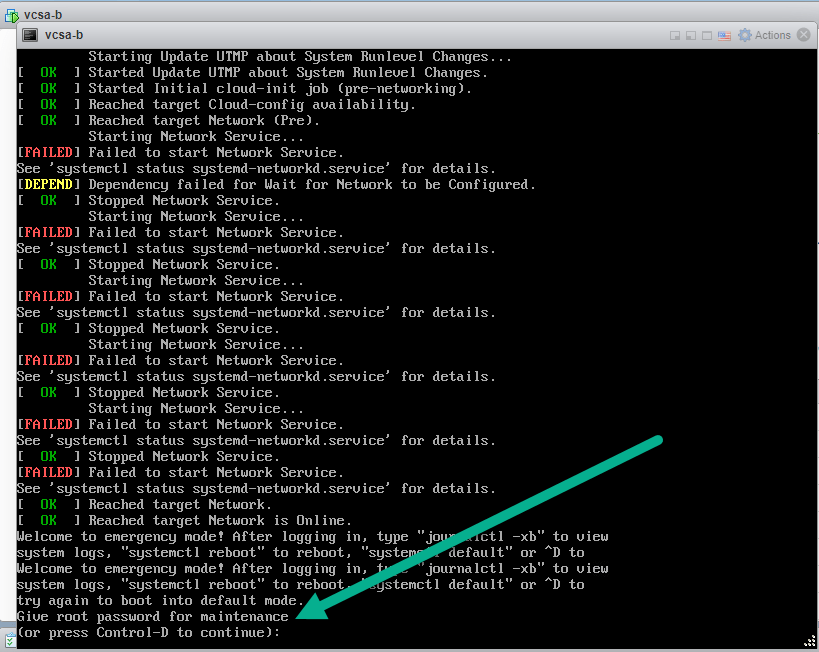
Step 2 – Check your main error message. Type, Shift + page UP to see the message.

Step 3 – Provide the root password twice to access the shell.

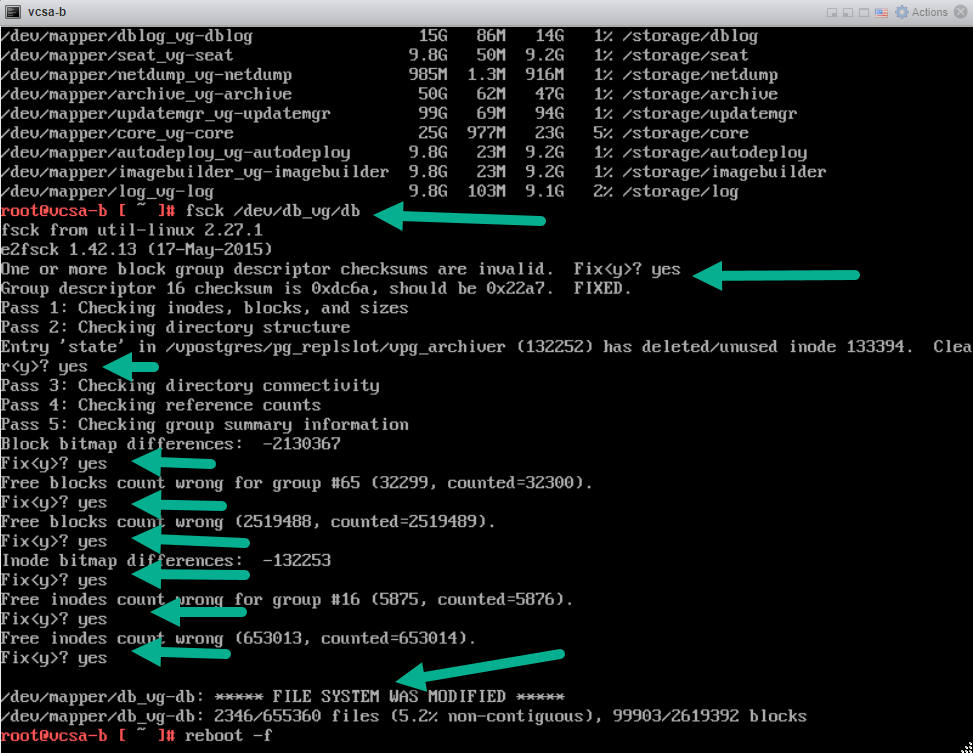
Step 4 – Run the command (reference step 1) fsck / dev / db_vg / db and restart vCenter.
CONCLUSION
The guy who agrees with everything you say is either an imbecile or is getting ready to trick you.

 virtualization-warrior